

Exam experience simulator with 750+ questions
Experience the Canadian citizenship online test before your real test
Step-by-step exam simulator
AI review and progress tracking
Weak-area recommendations
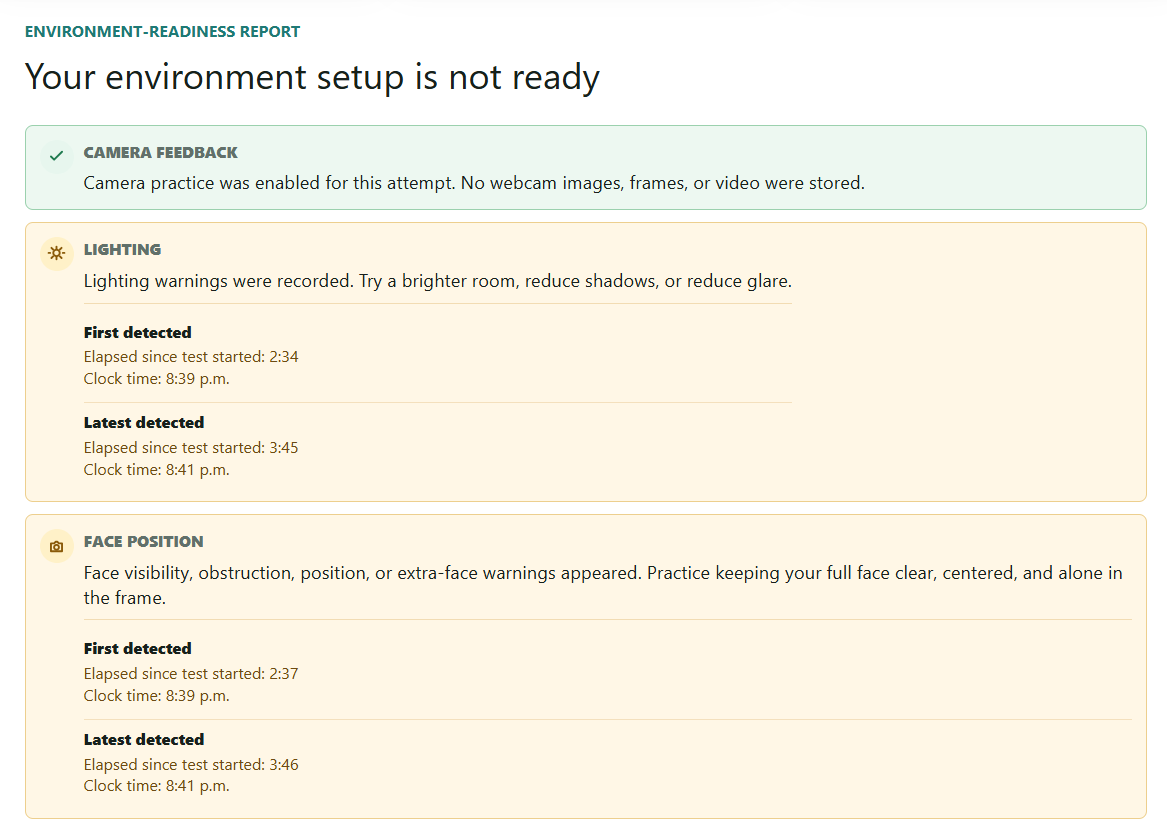
Camera, lighting, and tab-switch readiness reports
750+ high-quality practice questions based on Discover Canada
Discover Canada Reader with bookmarks and audio reading
Citizenship Prep is a comprehensive preparation platform designed to provide a realistic Canadian citizenship online test experience.
Interface preview
See the practice journey
Citizenship exam practice
Canadian citizenship exam simulator at a glance
20
Questions
45
Minutes
15
Practice pass mark
Flexible
Basic and Premium access
Why learners use it
Practice with the full journey in mind
From setup readiness to answer review, the platform helps you build familiarity with a realistic exam-style simulator before test day.
Simulator steps
Preview the sequence learners should expect: setup, instructions, timed questions, submission, score, and review.
Camera focus tips
Get calm reminders for online readiness: face centered, eyes on screen, quiet room, steady connection, and no distractions.
Timed practice
Train with a 20-question, 45-minute simulator attempt and a clear practice pass mark so pacing becomes familiar.
Professional review
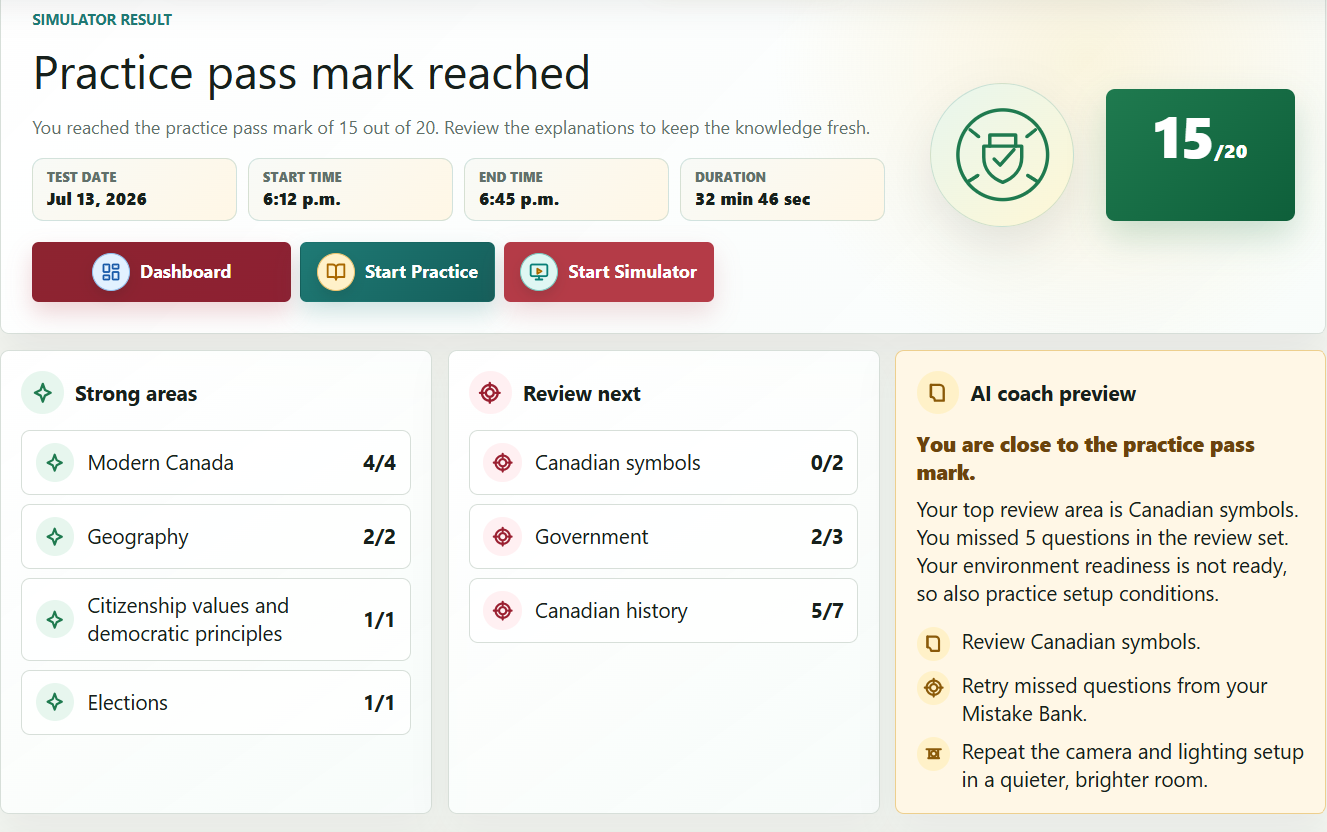
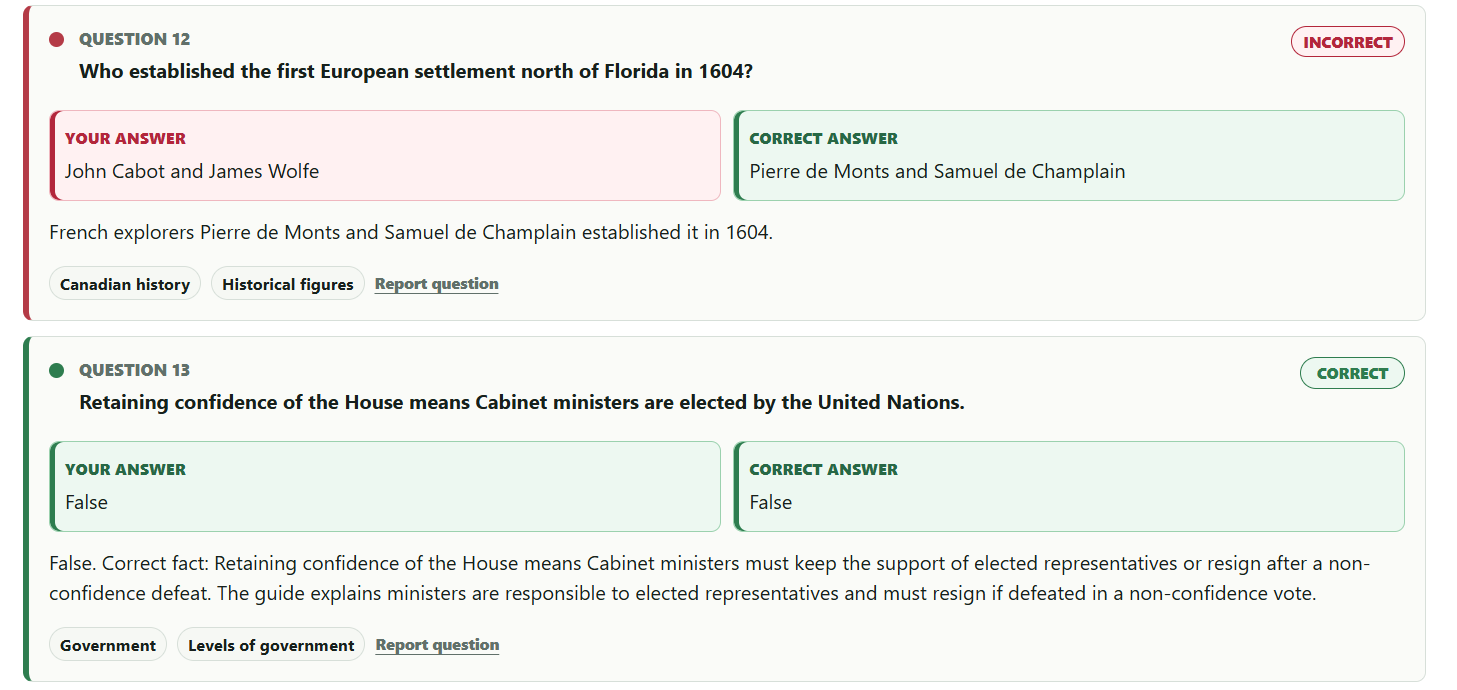
See correct answers in green, incorrect answers in red, explanations, strong areas, and topics to review next.
Simple access
Choose the study access that fits your preparation
Start with meaningful Basic access. Upgrade only when you want unlimited practice and personalized weak-area study.
Basic
$0
Included with a verified account
- Discover Canada Reader
- 40 checked Practice questions
- 1 completed Simulator attempt
- Results, history, and Mistake Bank
Premium
$7.99 CAD
90 days · One-time payment · No automatic renewal
- Unlimited Practice Questions
- Unlimited Simulator Attempts
- Personalized Weak-Area Practice
- All Basic study and progress features
How It Works
Prepare with a realistic citizenship test flow

Step 1
Create your account
Register with your email address and password so your simulator attempts, progress, and Mistake Bank can stay connected to your study account.

Step 2
Verify your email
Email verification connects your included study access and saved progress to a verified account.

Step 3
Study Discover Canada
Review focused study notes, important people, dates, and terms from each Discover Canada section, then use bookmarks and the audio reader to study in the way that works best for you.

Step 4
Practice the setup flow
Walk through practice-only setup screens for disclaimer, sample-format details, privacy acknowledgement, camera readiness, lighting, ID positioning, and rules. If you already know the setup, you can skip directly to the questions.
Step 5
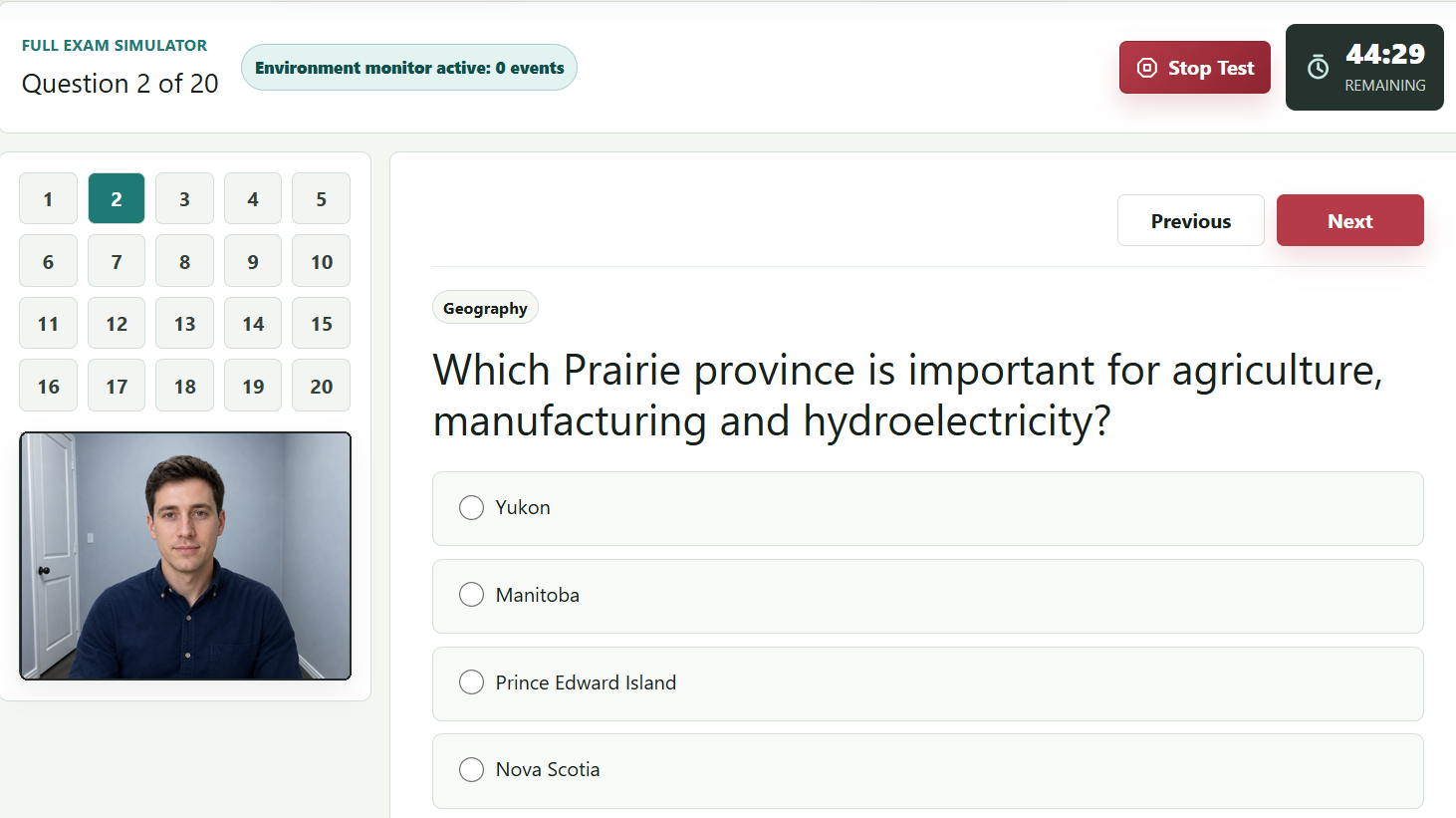
Complete the timed mock exam
Answer 20 realistic exam-style questions based on Discover Canada with a 45-minute timer, manual submit, auto-submit at time expiry, and a 15 out of 20 simulator pass mark.

Step 6
Open your dashboard
See your latest score, best score, average score, simulator attempts, environment readiness, and saved mistakes in one focused dashboard.
Step 7
Review, learn, and improve
Review correct and incorrect answers, topic performance, setup-readiness issues, Mistake Bank items, and AI coach recommendations for your next study session.
Public preview
View 10 sample questions
These samples show the style of realistic exam-style questions based on Discover Canada. One timed Simulator attempt is included with a verified Basic account.
Verified dashboard
Your simulator dashboard
Start a timed simulator attempt, review explanations, and track your study progress.
Latest score
--
Best score
--
Simulator attempts
0
Mistake Bank
0
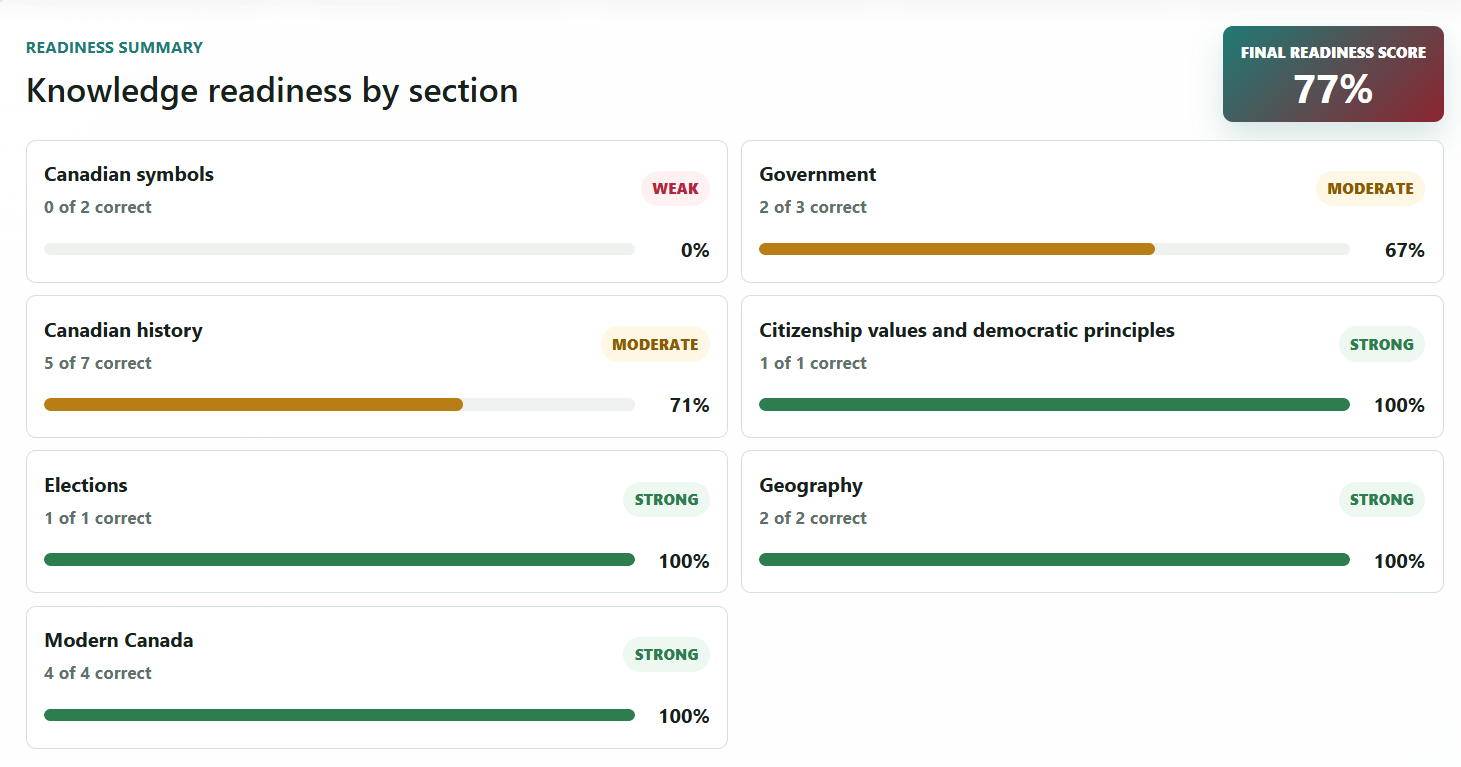
Readiness summary
Knowledge readiness by section
Final readiness score
--
Mistake Bank
Missed questions to review
Simulator history
Exam Simulator results
Exam Simulator
Exam Simulator access
You have used the Simulator attempt included with Basic access. Your results and progress remain available.
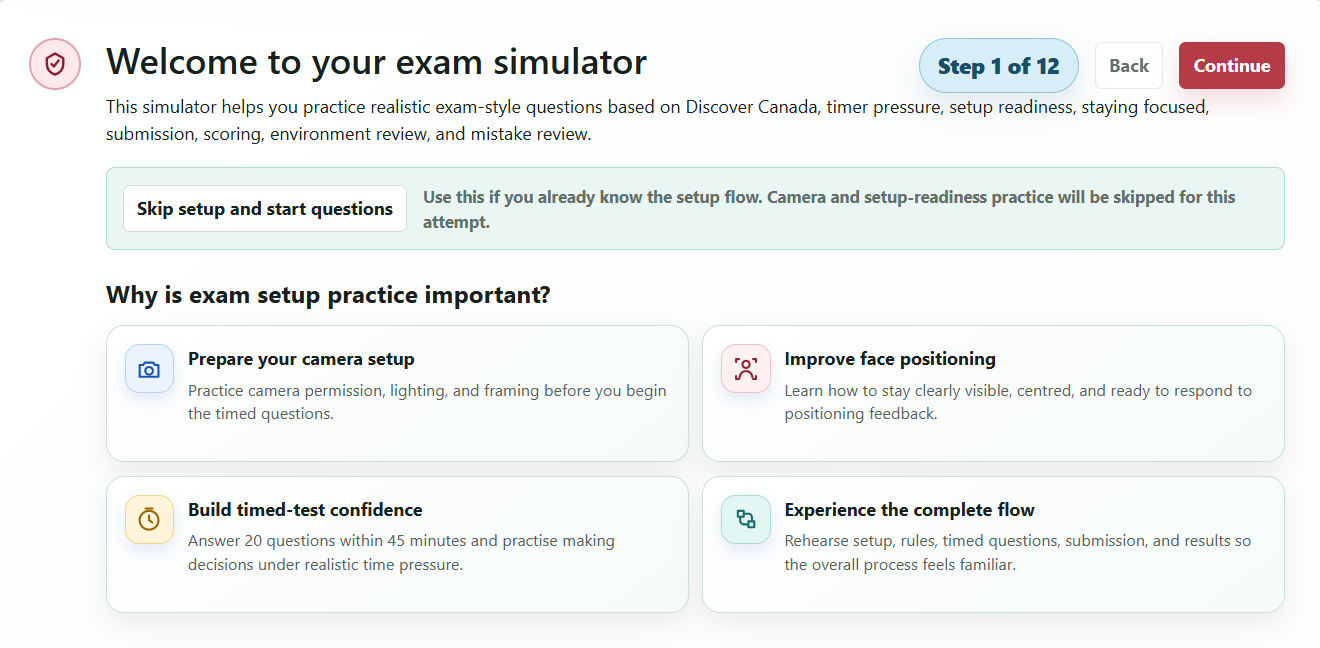
Welcome to your exam simulator
This simulator helps you practice realistic exam-style questions based on Discover Canada, timer pressure, setup readiness, staying focused, submission, scoring, environment review, and mistake review.
Use this if you already know the setup flow. Camera and setup-readiness practice will be skipped for this attempt.
Why is exam setup practice important?
Prepare your camera setup
Practice camera permission, lighting, and framing before you begin the timed questions.
Improve face positioning
Learn how to stay clearly visible, centred, and ready to respond to positioning feedback.
Build timed-test confidence
Answer 20 questions within 45 minutes and practise making decisions under realistic time pressure.
Experience the complete flow
Rehearse setup, rules, timed questions, submission, and results so the overall process feels familiar.
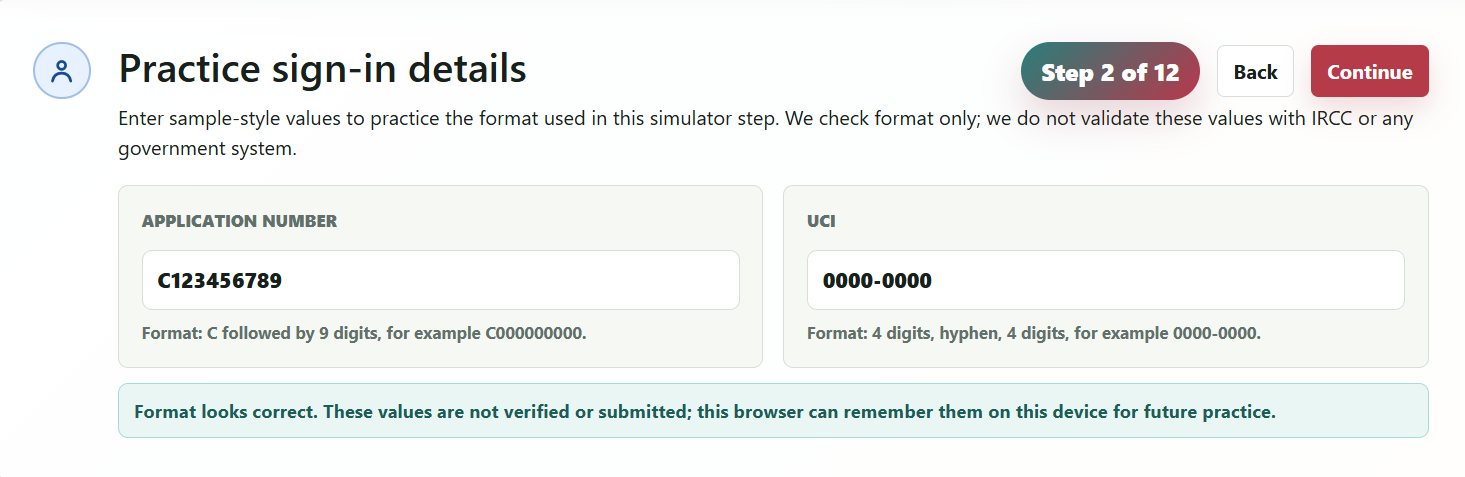
Practice sign-in details
Enter sample-style values to practice the format used in this simulator step. We check format only; we do not validate these values with IRCC or any government system.
Practice only: these values are checked in your browser and are not sent to our server or used for identity verification.
Mock privacy notice and terms acknowledgement
This practice mode uses your camera only to help you prepare for an online-test environment. We do not store your photo, record video, verify your identity, or store government ID images. Camera feedback is for practice only.
Mock email-link practice
Practice requesting and opening a test link in one educational step. No email is sent, and no real test invitation is required.
Practice email destination
learner@example.com
Mock message
Your practice simulator link is ready.
Use this step to rehearse moving calmly from email to the test setup flow.
Mock identity confirmation
This practice step repeats the format-checked values so you understand the sequence. The simulator does not verify, store, or submit them.
The simulator checks only the format shown above. It does not perform identity verification or confirm whether the values are real.
Camera permission
Allow camera access for practice feedback, or continue without camera feedback. We do not store webcam images, frames, or video.
Camera preview appears here
Camera feedback will not be available for this attempt. The final report will show that camera-based checks were not measured.
Camera feedback is enabled by default. The camera permission prompt should open automatically on this step.
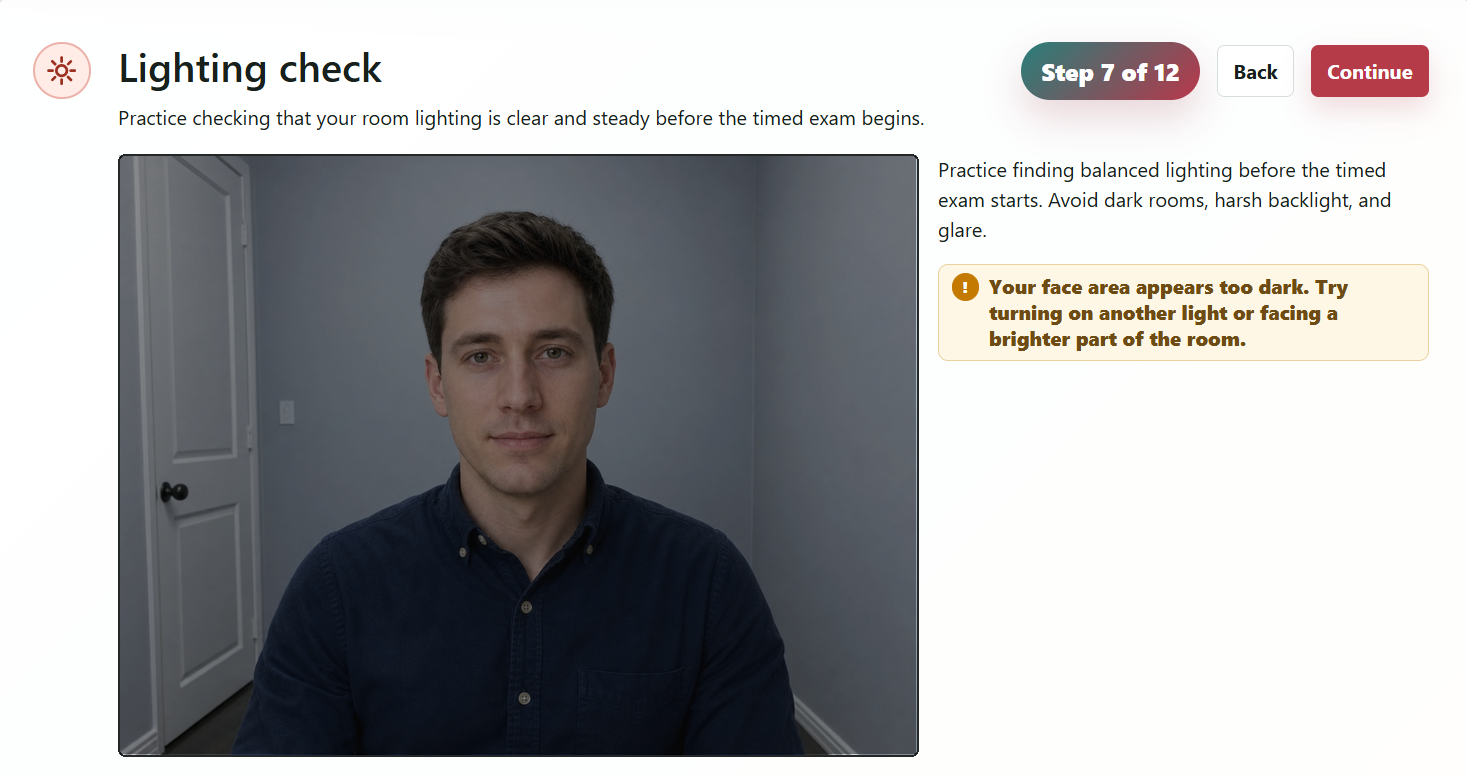
Lighting check
Practice checking that your room lighting is clear and steady before the timed exam begins.
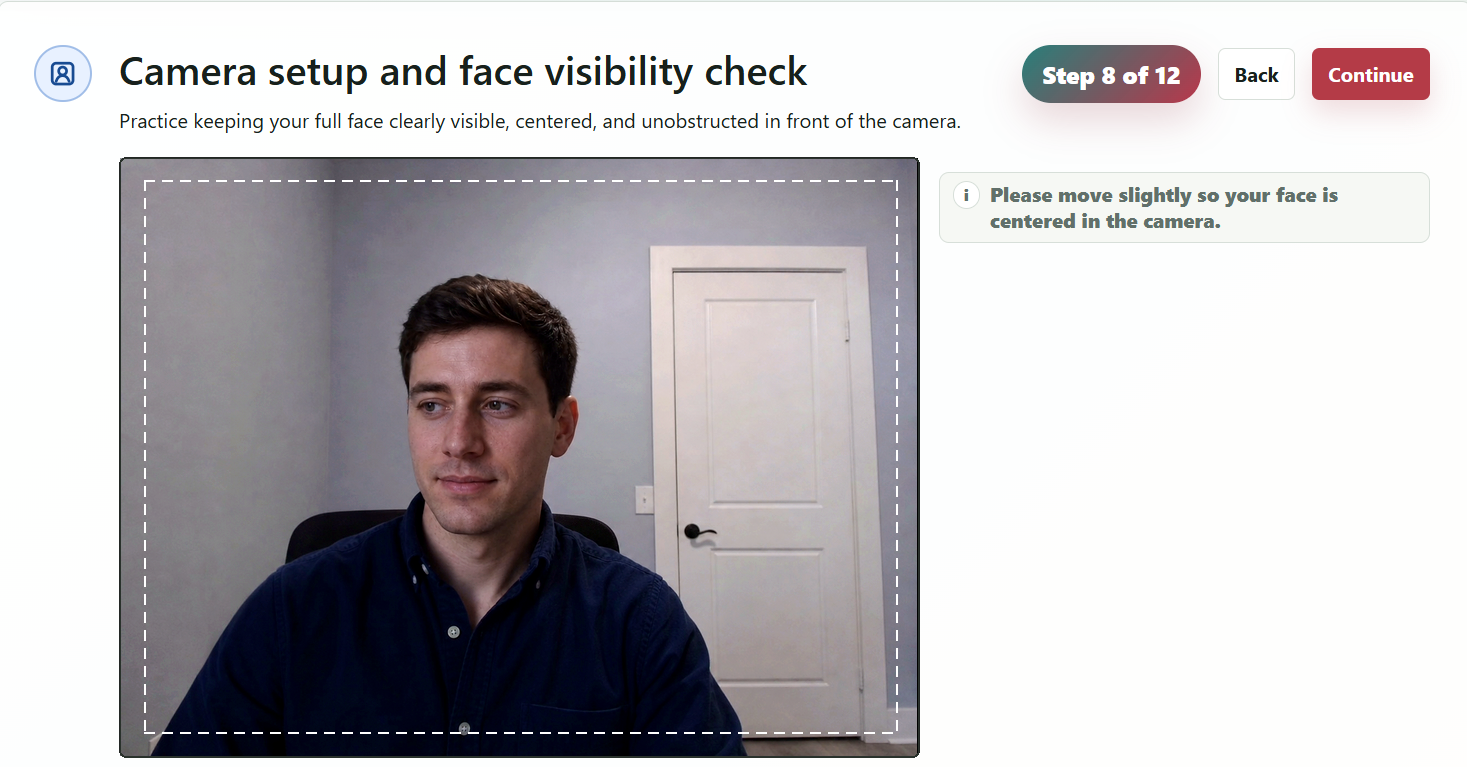
Camera setup and face visibility check
Practice keeping your full face clearly visible, centered, and unobstructed in front of the camera.
Feedback is for learning only. No identity verification is performed. No biometric data is stored.
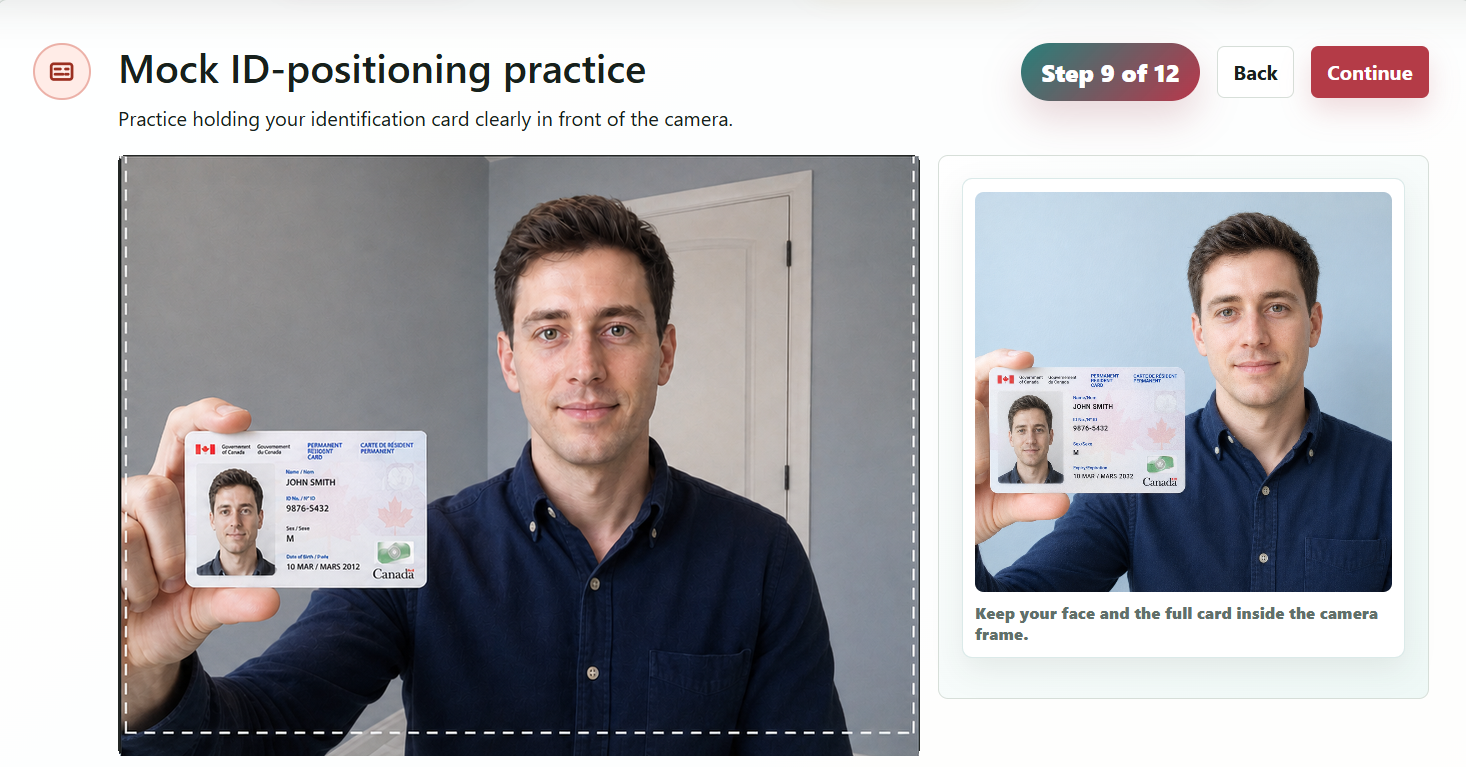
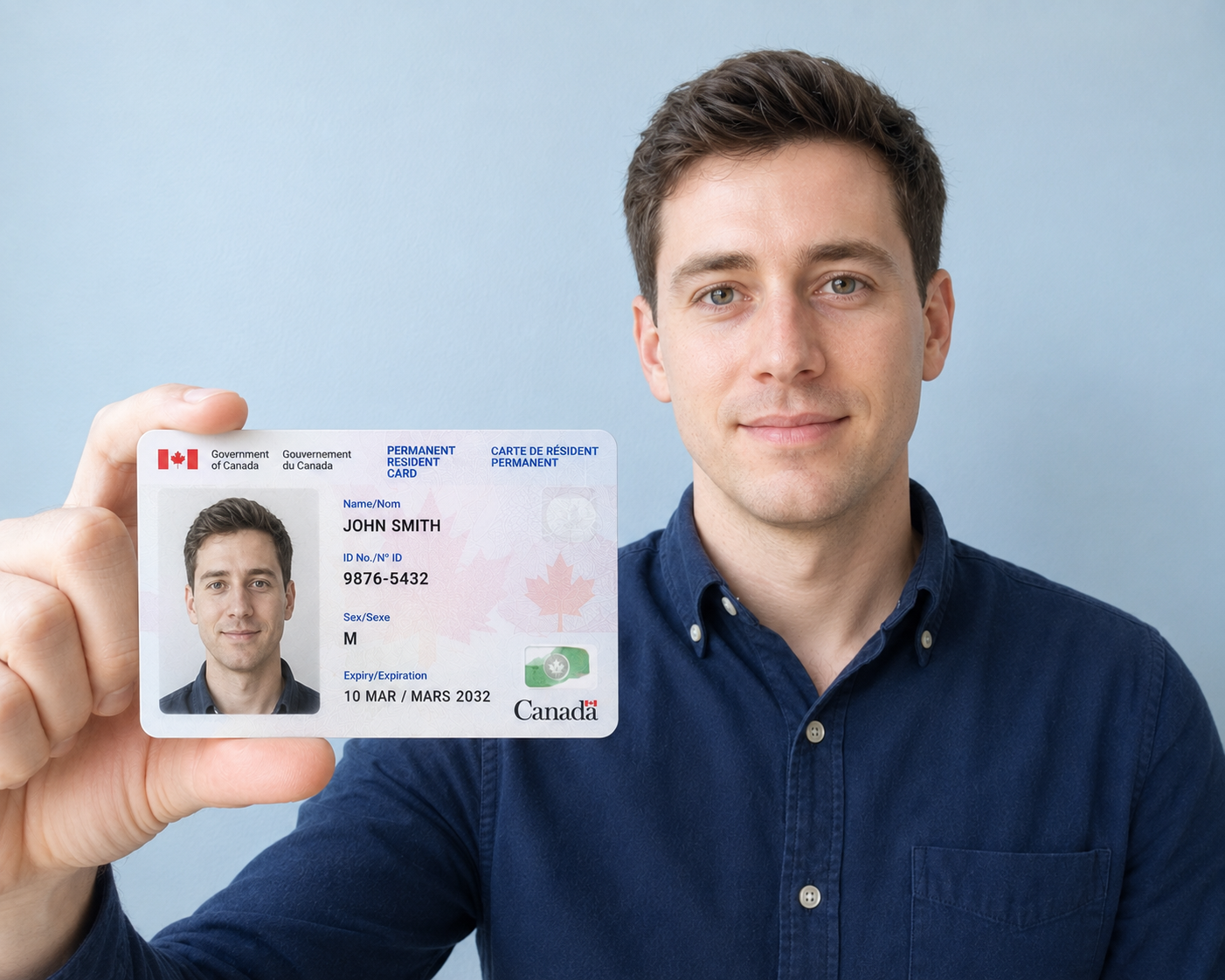
Mock ID-positioning practice
Practice holding your identification card clearly in front of the camera.
- Hold the card flat, upright, and fully inside the dashed frame.
- Keep it readable without cutting off the edges; tilt slightly if glare appears.
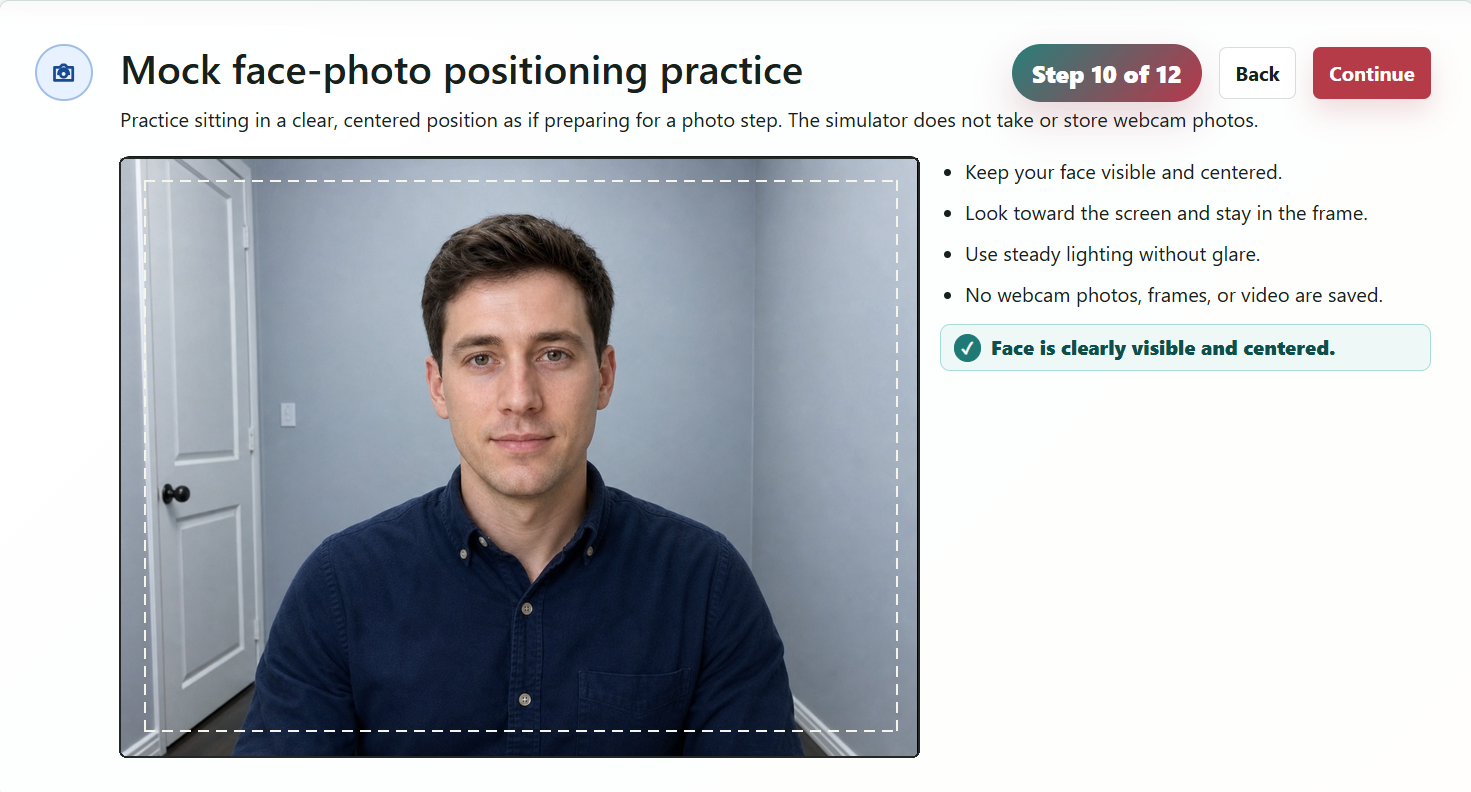
Mock face-photo positioning practice
Practice sitting in a clear, centered position as if preparing for a photo step. The simulator does not take or store webcam photos.
- Keep your face visible and centered.
- Look toward the screen and stay in the frame.
- Use steady lighting without glare.
- No webcam photos, frames, or video are saved.
Test rules
- The mock exam has 20 questions.
- The timer is 45 minutes and cannot be paused.
- The simulator pass threshold is 15 out of 20.
- Stay visible if camera mode is enabled.
- Stay on the test tab and complete the test in one sitting.
- Results are for practice only and do not guarantee real test performance.
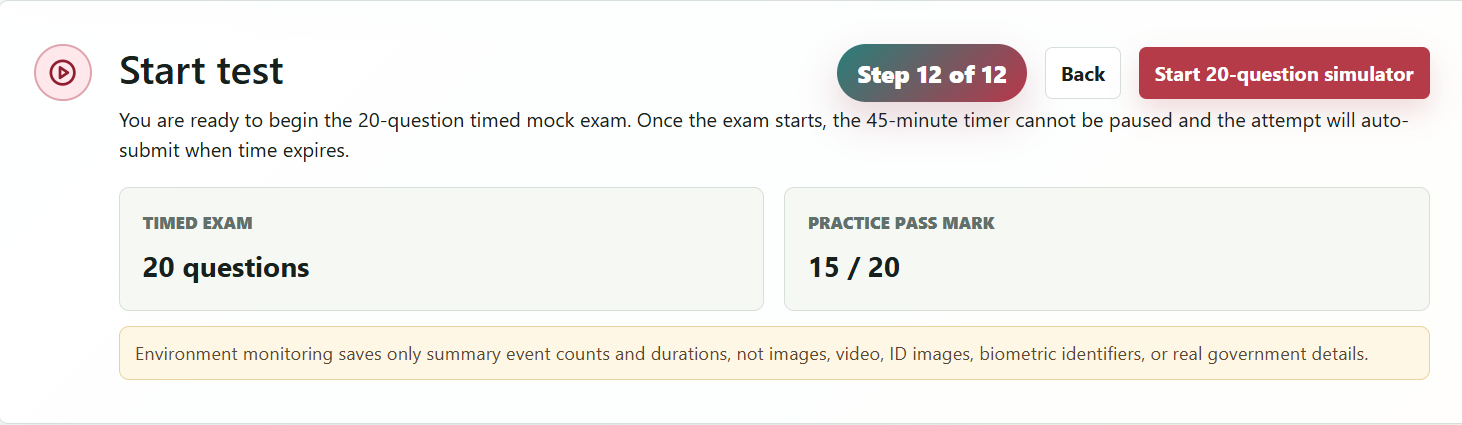
Start test
You are ready to begin the 20-question timed mock exam. Once the exam starts, the 45-minute timer cannot be paused and the attempt will auto-submit when time expires.
Timed exam
20 questions
Practice pass mark
15 / 20
Environment monitoring saves only summary event counts and durations, not images, video, ID images, biometric identifiers, or real government details.
45:00
remaining
Simulator result
Your score
0
/20
Strong areas
Review next
AI coach preview
Environment-readiness report
Environment readiness
Answer review
Explanations
Simulator complete
Your latest simulator attempt is complete.
Return to your dashboard to start another attempt or review your latest result.